Illustrate Your Travel Journals with GPS Tracks (Print GPX map & Scrapbooking)
A travel journal is the guardian of your memories. Whether you are documenting your Alpine crossing (GR5), your bikepacking trip, or your vanlife vacation, a simple list of stages is not always enough. Drawing the map by hand is tedious. Here's how to transform your GPX files into beautiful minimalist illustrations, ready to be printed and pasted into your bullet journal or scrapbook.
Map Styling The "Ink & Paper" Style (GPX to Image)
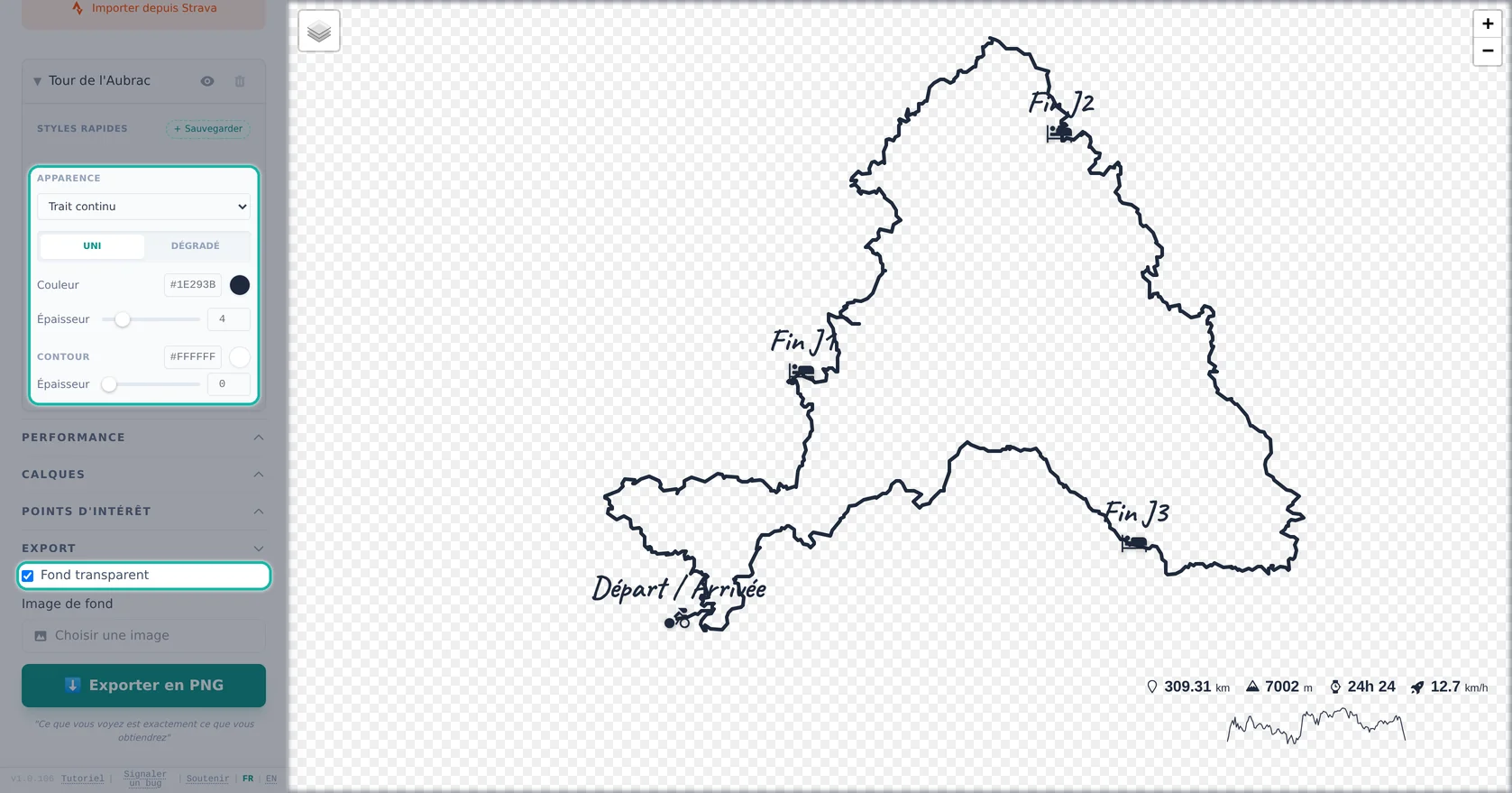
For a hiking track to look good printed on paper, avoid cluttered satellite maps. The goal is to obtain a clean, graphic ink look from your GPS tracker.
How to print your route with Beautiful GPX:
- Import your track file (.gpx, .fit).
- In the map editor, choose the Monochrome style or simply disable the background map for a transparent image PNG.
- Change the GPS route path color to Black or Dark Navy Blue.
- Enable markers for key geographical points (Start, Campsites, Mountain Passes, Finish).
Creativity Creative Ideas to Print Your GPX Journal
Once your GPS image is generated, the possibilities are endless for your photo album or travel diary:
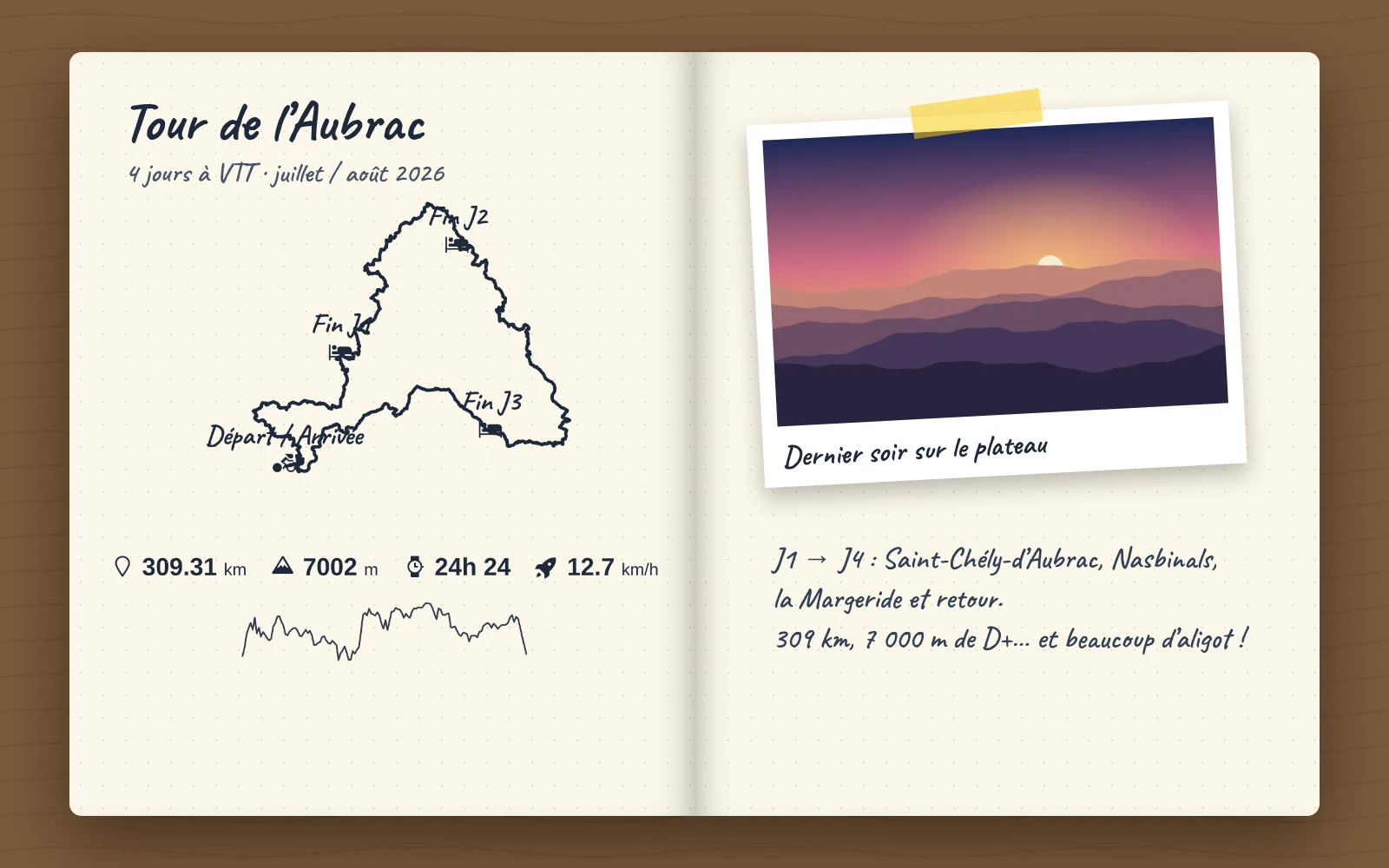
🏷️ The Transparent Route Sticker
Print the track image on sticker paper and cut around it. Perfect for sticking on the cover of your logbook.
📸 The Photo Polaroid Style
Use the tool to overlay stats (km, elevation gain) at the bottom of the image. Print on 10x15cm photo paper to immortalize the day's stage with its elevation profile.
🗺️ The Tracing Paper Overlay
Print the PNG export on tracing paper and layer the GPS track over a landscape photo or a vintage road map pasted in your album.
High-Resolution Output Why Use Beautiful GPX to Print Your Routes?
Unlike classic screenshots from your tracking apps (Strava, Garmin Connect, Komoot), Beautiful GPX exports generate a high-resolution (HD) image ready for printing. Even when printed on large paper, your itinerary lines will remain sharp vector-quality and without blurry artifacts.
FAQ
Which map style works best on paper?
Use a clean or transparent background with a black or navy track for an ink-on-paper look.
What resolution should I print?
Use HD export so lines stay sharp even at large sizes.
Can I add start, passes, and stages?
Yes, POIs let you mark key points along your route.
Does it work for cycling and hiking?
Yes, any GPX file (bike, trail, trek) can be styled and exported.
Can I print on sticker paper?
Yes, export PNG and print on sticker or tracing paper.
Is my data kept private?
Yes, processing happens in your browser with no GPS upload.