Export a GPX track as a transparent PNG overlay
A transparent PNG is the easiest format for custom souvenirs: overlay on photos, edit into videos, or compose a poster layout. You get only the track line, with no background.
Why export as transparent?
- Overlay the track on a photo (travel souvenir).
- Add a GPS overlay in a video (YouTube/Instagram).
- Use it inside a more complex design in another editor.
Steps
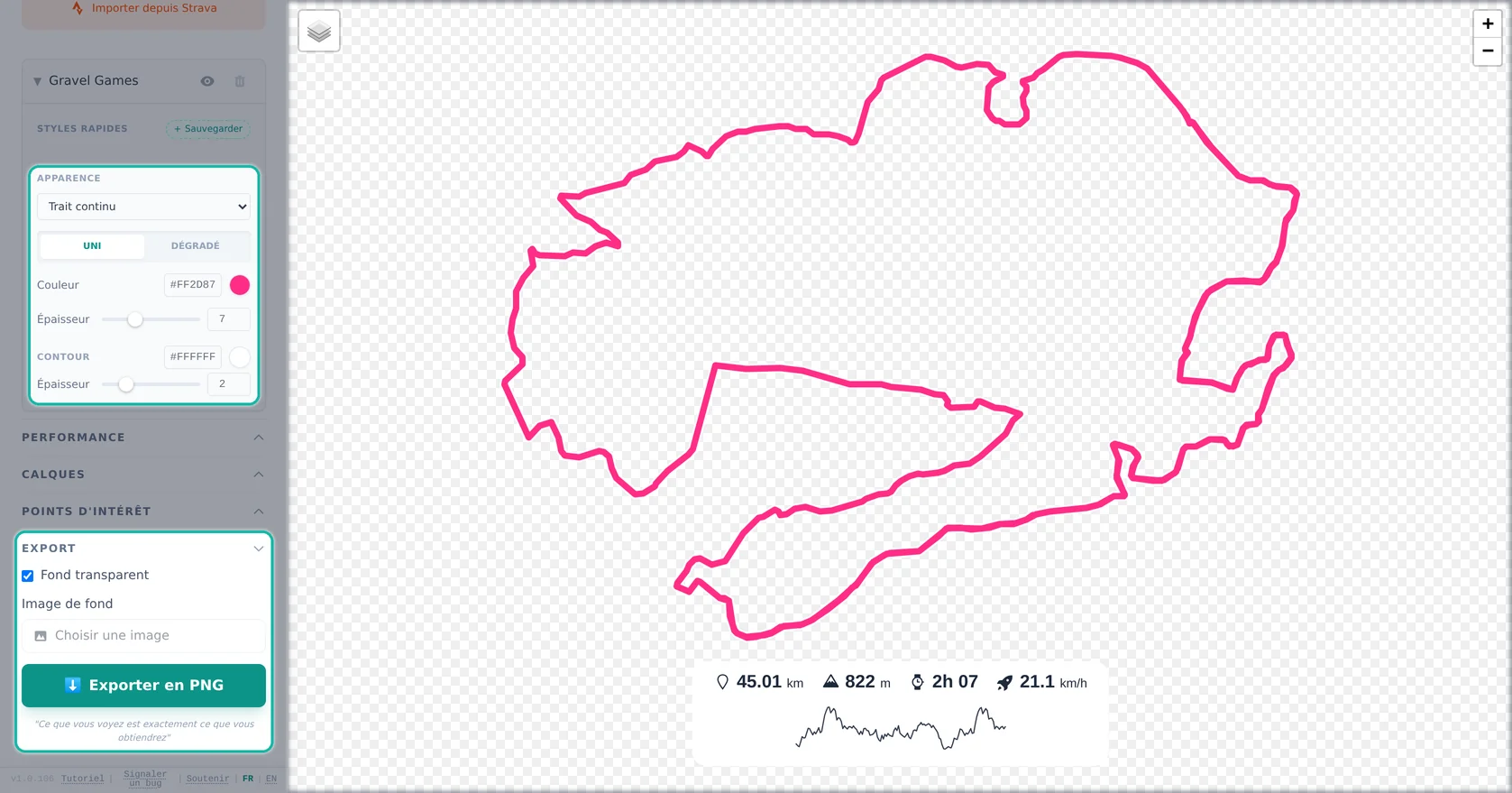
- Import your GPX (or activity).
- Pick a style (color, thickness, gradient).
- Enable “Transparent background”.
- Export a high‑resolution PNG.
Tip: if the overlay is hard to see, increase line thickness and use a high‑contrast color (white, cyan, red).
Overlay best practices
- Use thicker lines for Stories/mobile, thinner lines for minimalist posters.
- Pick vivid colors with strong contrast vs the background.
- Avoid too many POIs on overlays if the background is already busy.
- Export in HD to keep lines sharp when resizing.
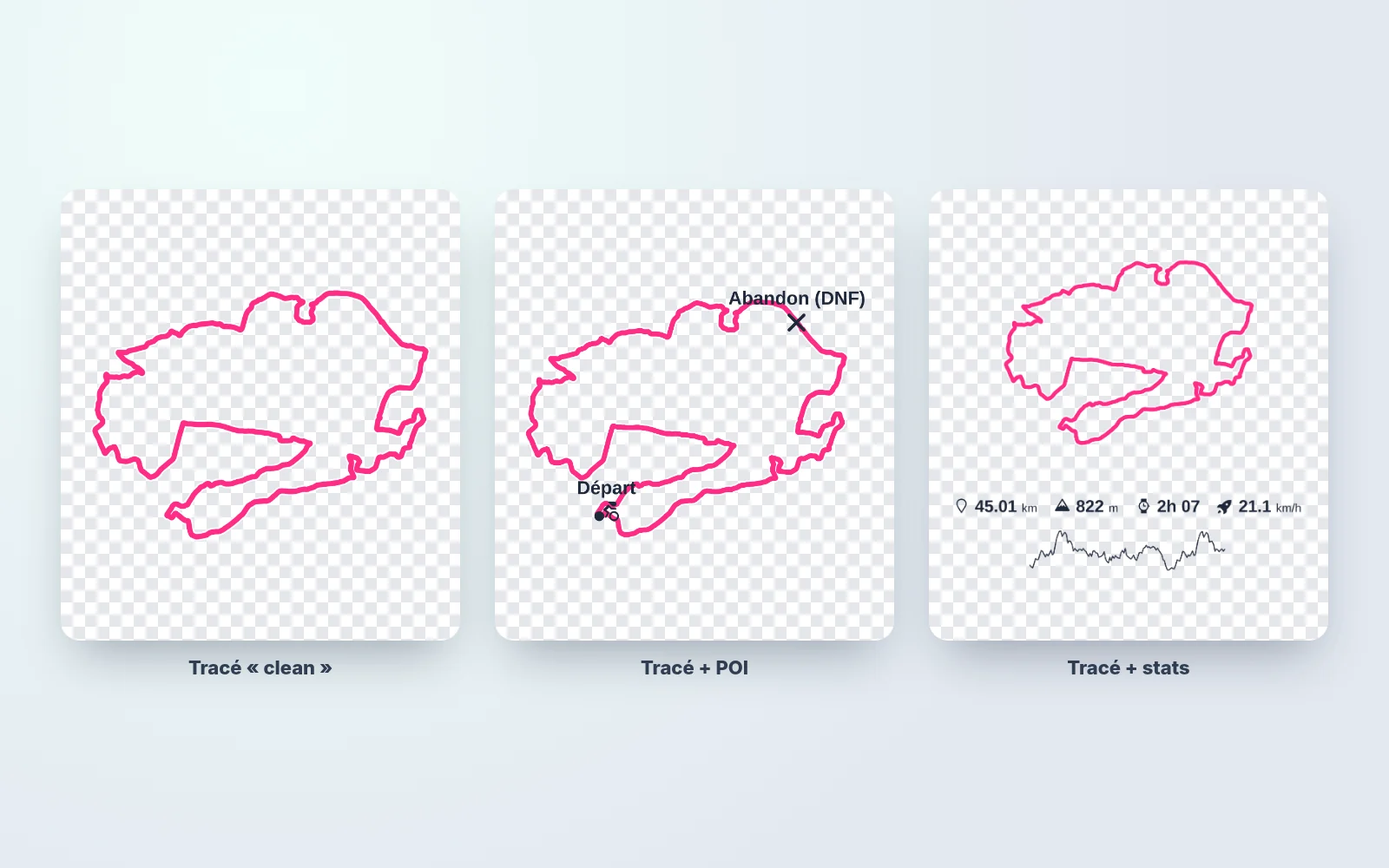
Useful export variants
- Clean line: line only for a minimalist look.
- Line + POIs: stages, passes, camps (storytelling).
- Line + stats: distance/elevation recap.
FAQ
What is a transparent PNG?
An image with an alpha channel: no background, ready to layer.
Can I overlay it on a photo?
Yes, like a layer in any photo editor.
Can I overlay it on a video?
Yes, as an overlay in your video editor.
What color should I use?
Use high‑contrast colors vs the background (white/cyan/red).
What line thickness should I use?
Thicker for mobile; thinner for print or minimalist design.
How do I export high resolution?
Use HD export to avoid pixelation after resizing.
Can I use a gradient?
Yes, gradients create a more “designed” look.
Can I include POIs and labels?
Yes, depending on whether you want clean or story-driven visuals.
Can I also export a basemap version?
Yes, make one “map” export and one “overlay” export.
Why is my overlay hard to read?
Usually the line is too thin or low contrast, so boost thickness/contrast.